OUR STORY FEATURES EDITIONS CONTACT KIKO

GWS
Backup

By KIKO
Solutions

Personal & Privacy

FAMILY EDITION

Private Backups.

Secure your family's data and emails and control where they are kept safe whilst protecting your family with monitoring tools.

Organizations

ENTERPRISE EDITION

Complete Control.

Robust compliance, reporting, and multi-client management for IT teams and businesses.

Why we built GWS Backup

GWS Backup (working name) was created following us identifying a need to do backups how we wanted as this is part of the service we provide to clients. We didn't want to be tied to a particular storage product and we wanted complete control of the process.

Our aim is to create backup software which allows us to use whoever we wished for backup storage. In our case, this was because we had it already available. We also felt better knowing we controlled the space rather than a third party.

Currently, we are in Beta with final testing and bug fixes to be rolled out. View our development roadmap here.
The End of Silent Failures

When you backup a workspace for the first time, there is a limitation all backup software faces. Google defines policies which limit how often you ask for information and how much of it you can move.

What other products do is tell you, the user, the backup was completed successfully. This isn't true in some cases!

We show the backup as stopped, explain the error, and wait for the next scheduled run. When the run has truly completed, you'll get told this! We hate 'fake stats'. Honesty and transparency are our biggest features.

Everything you need for complete control

Powerful tools designed for transparency, security, and ease of use.

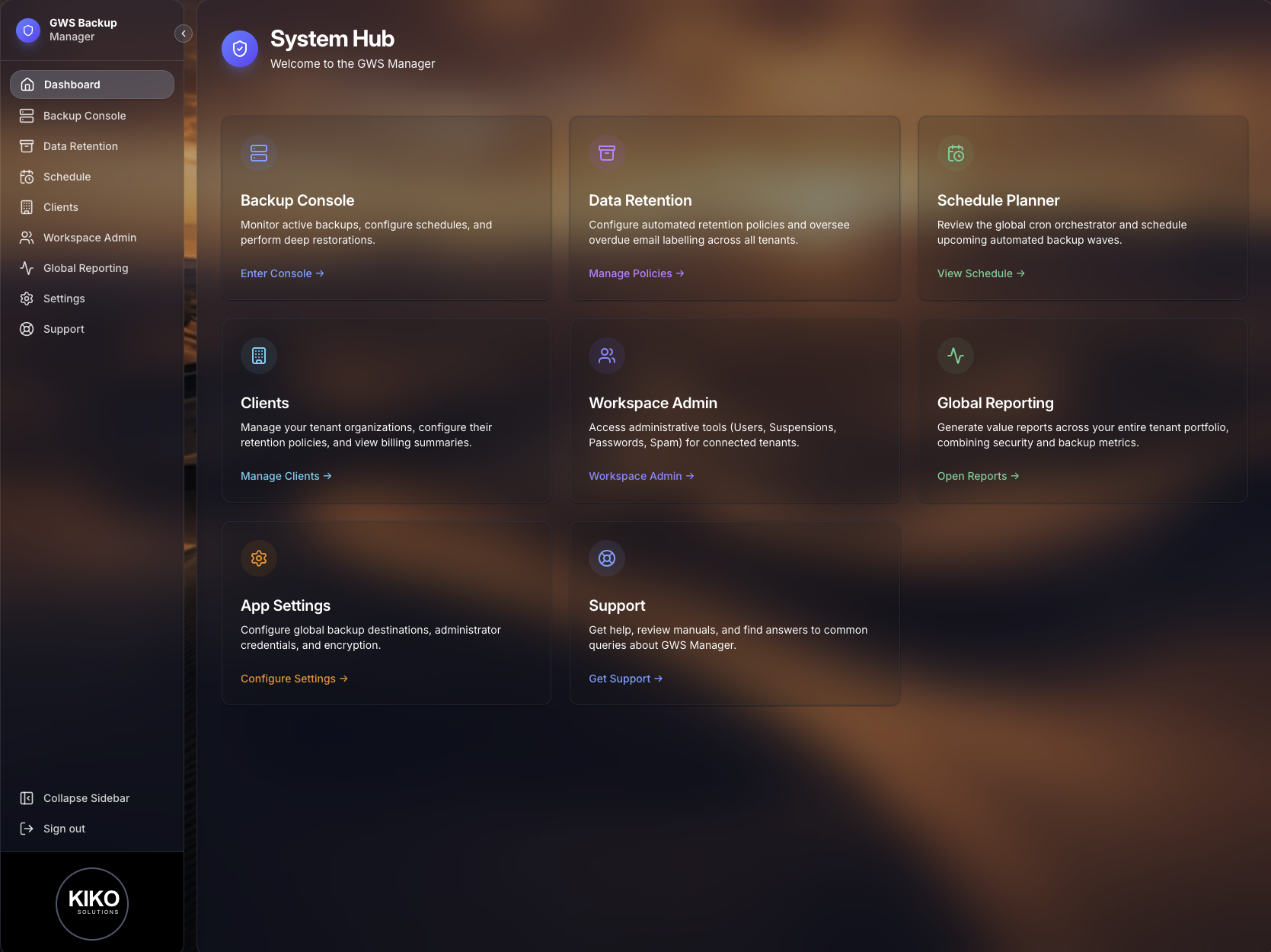
Dashboard screenshot

Dashboard

Monitor backup health, storage usage, and system alerts at a glance.

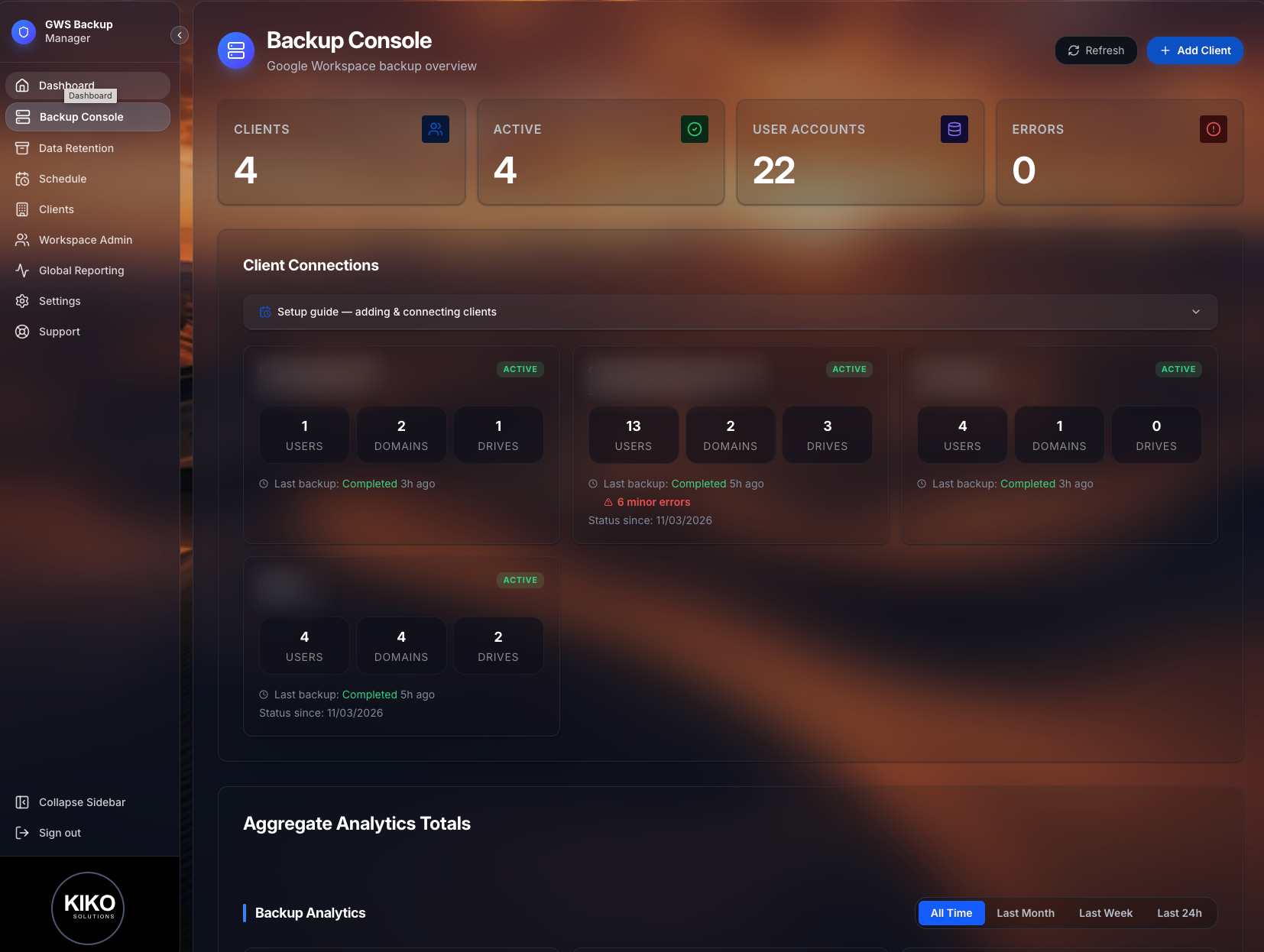
Backup Console screenshot

Backup Console

Manage all endpoints, storage locations, and active backup processes in one unified view.

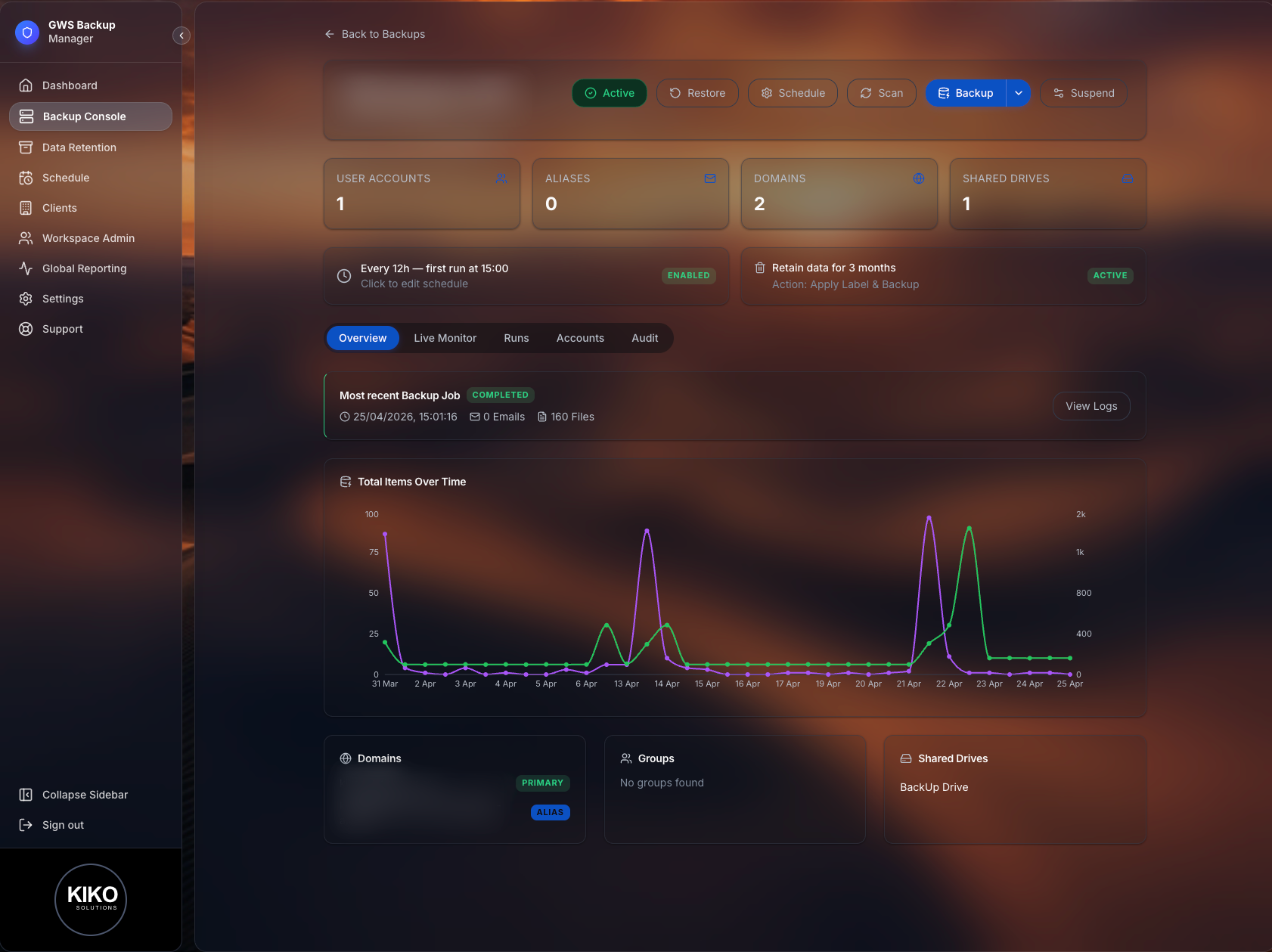
Client Backup Page screenshot

Client Backup Page

Monitor backup bots, see the outcome of runs and perform detailed audits on all historical data movement.

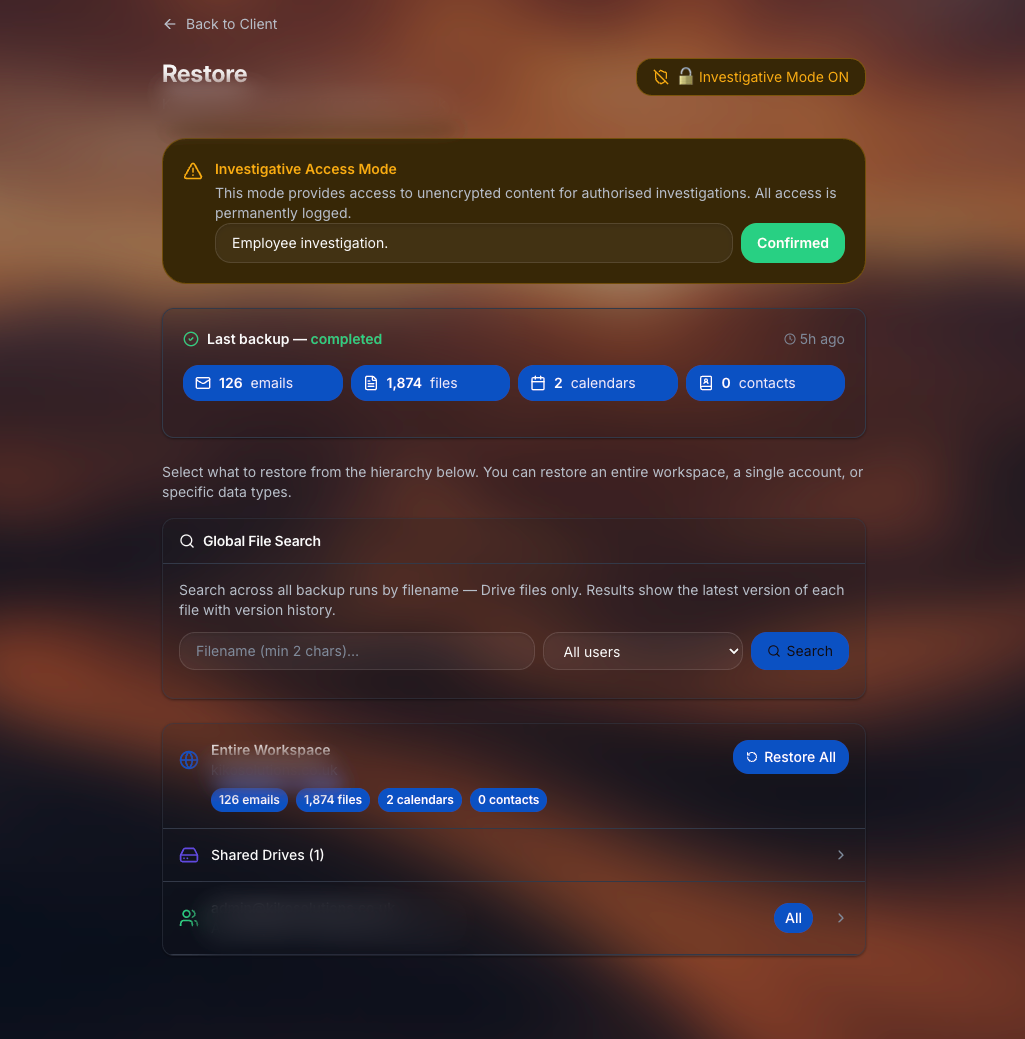
Restore screenshot

Restore

Recover individual files or entire accounts directly to their original location with a single click.

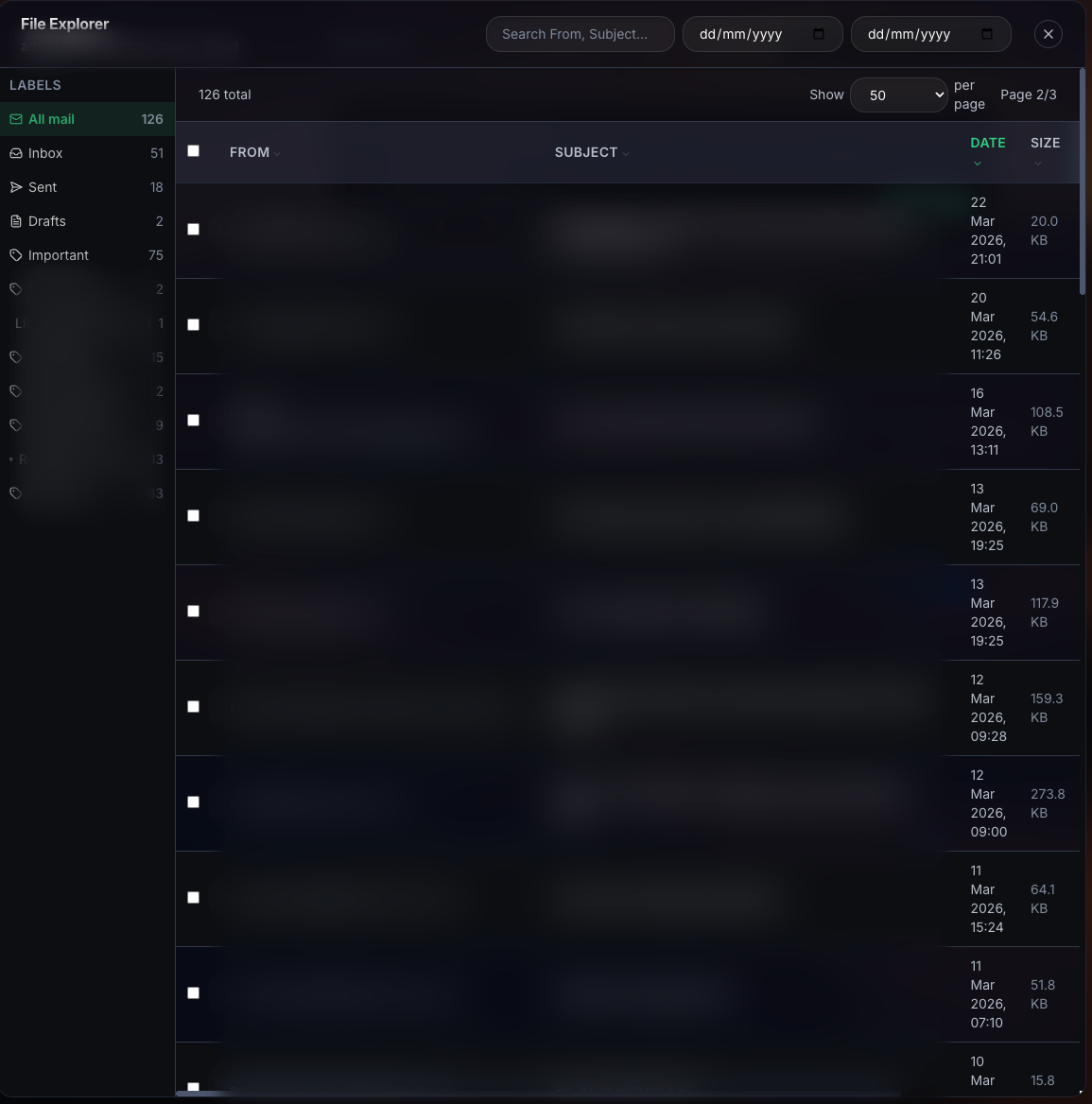
Investigations screenshot

Investigations

Quickly find specific emails and drive files across all backups using deep search indexing.

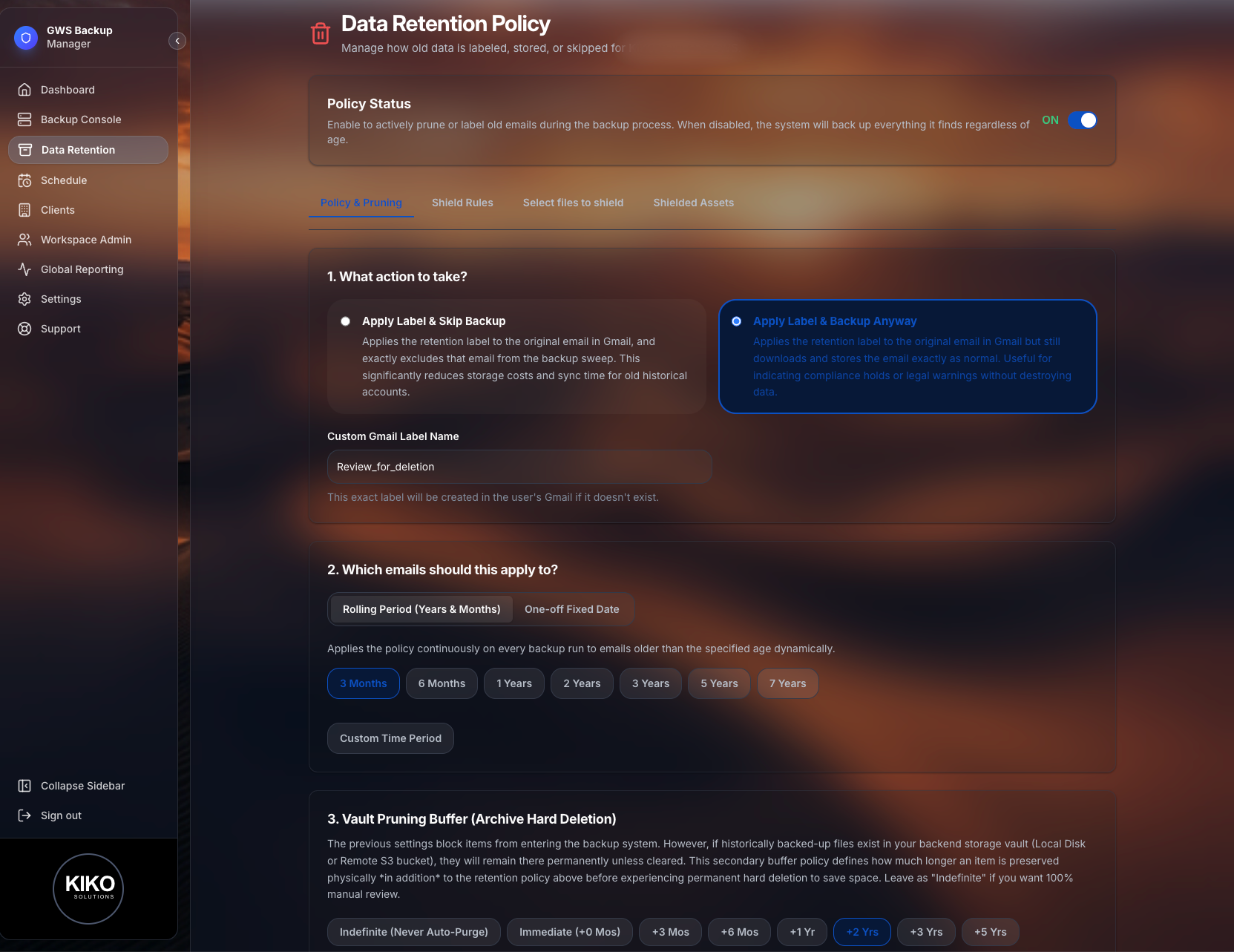
Data Retention Policy screenshot

Data Retention

Set custom policies to automatically manage compliance and storage lifecycle for all backed up data.

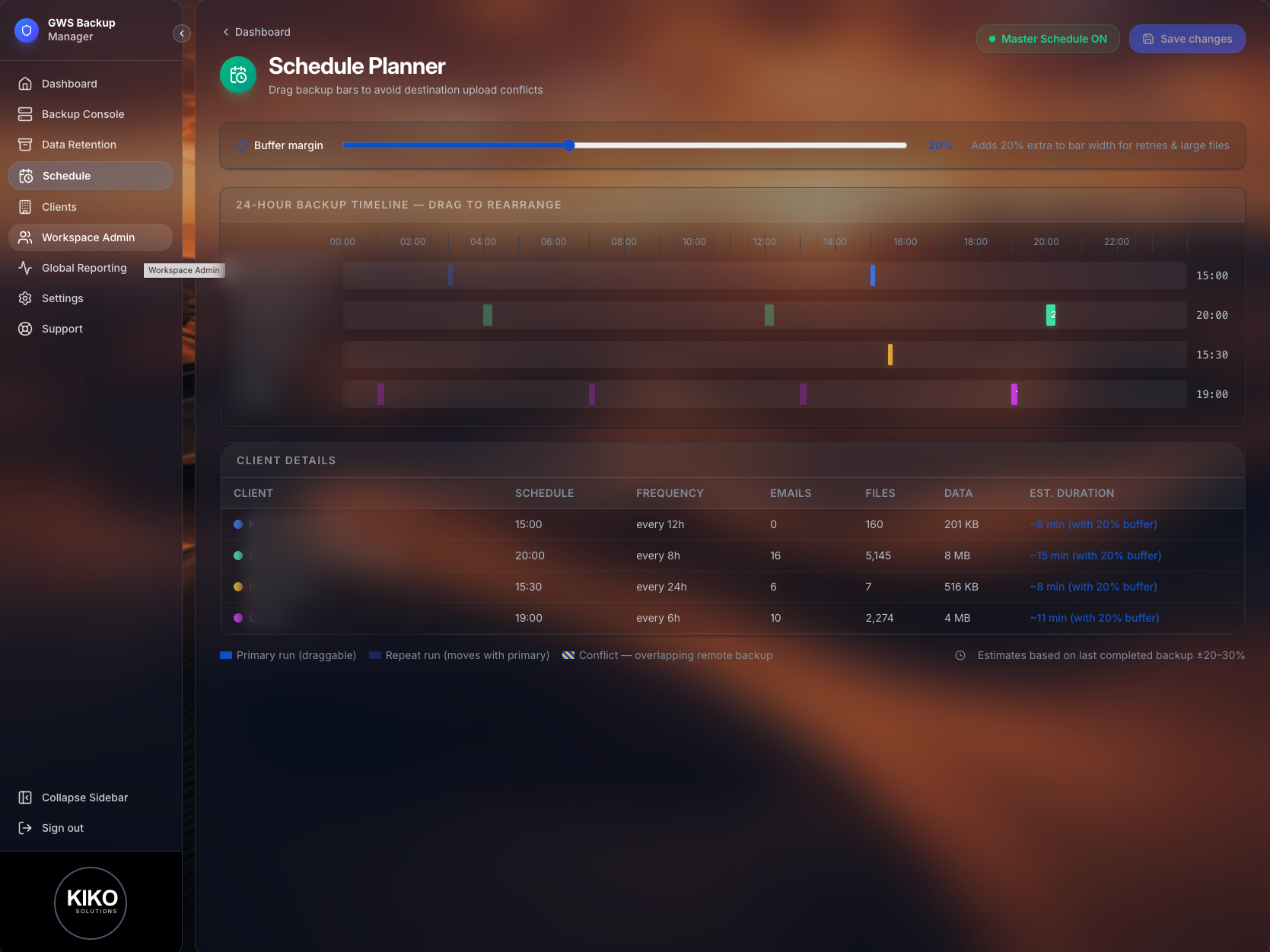
Backup Scheduler screenshot

Scheduler

Schedule high-frequency incremental backups to ensure you never lose more than a few minutes of work.

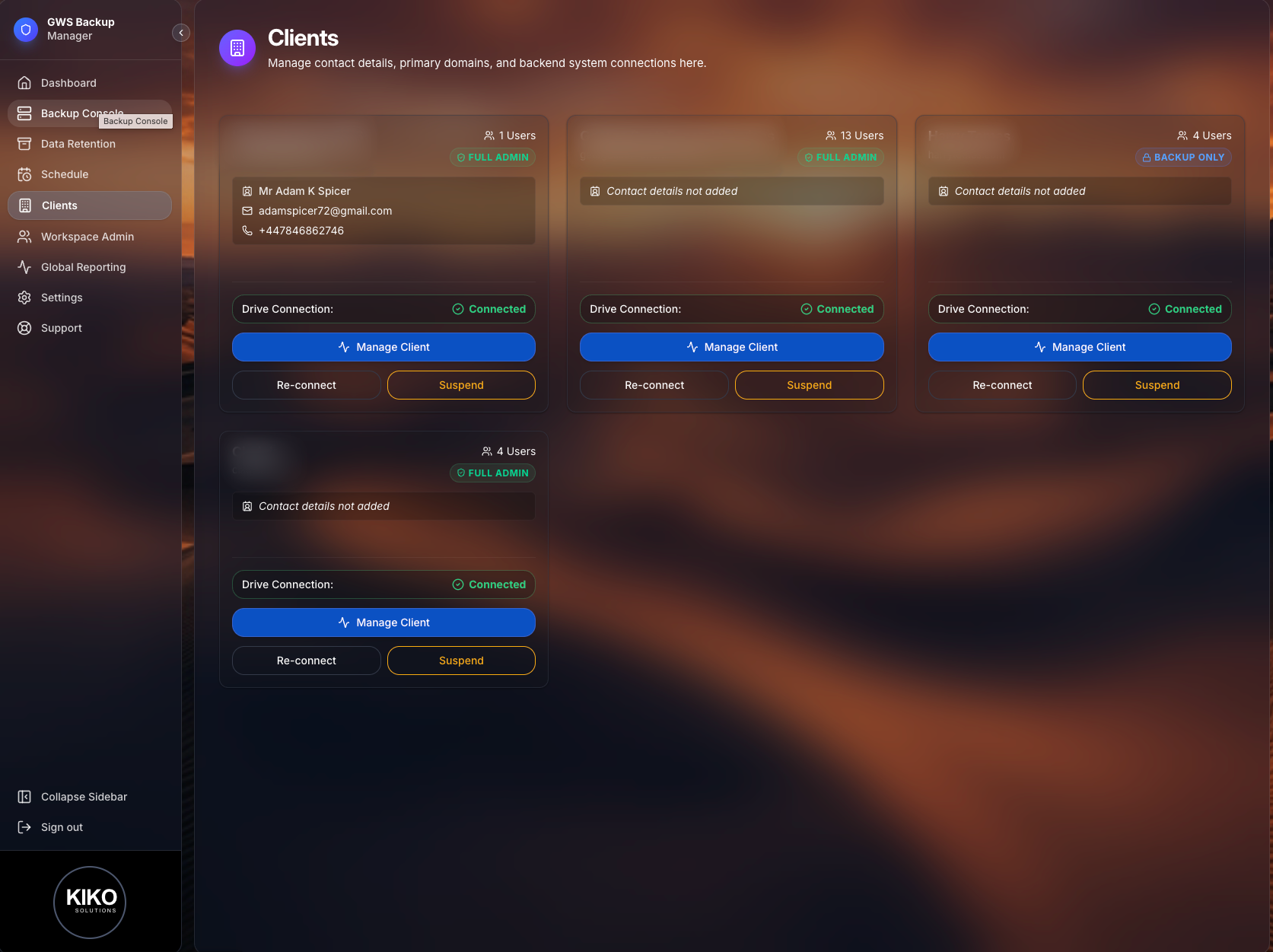
Client Management screenshot

Clients

Organize multiple Google Workspace domains from a single interface, perfect for MSPs and IT admins.

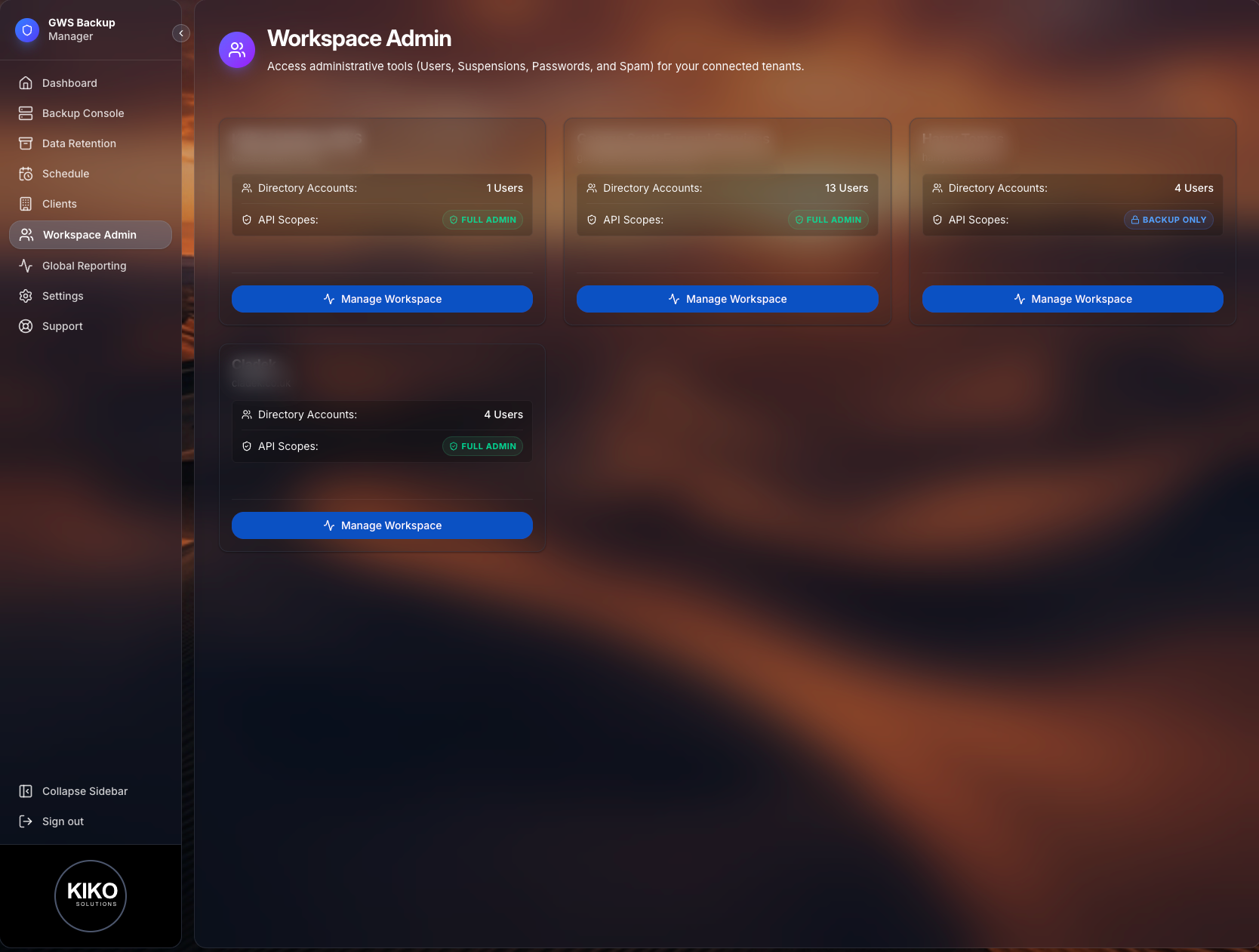
Workspace Admin screenshot

Workspace Admin

Manage domain-wide settings, user provisioning, and organizational units directly within GWS Backup.

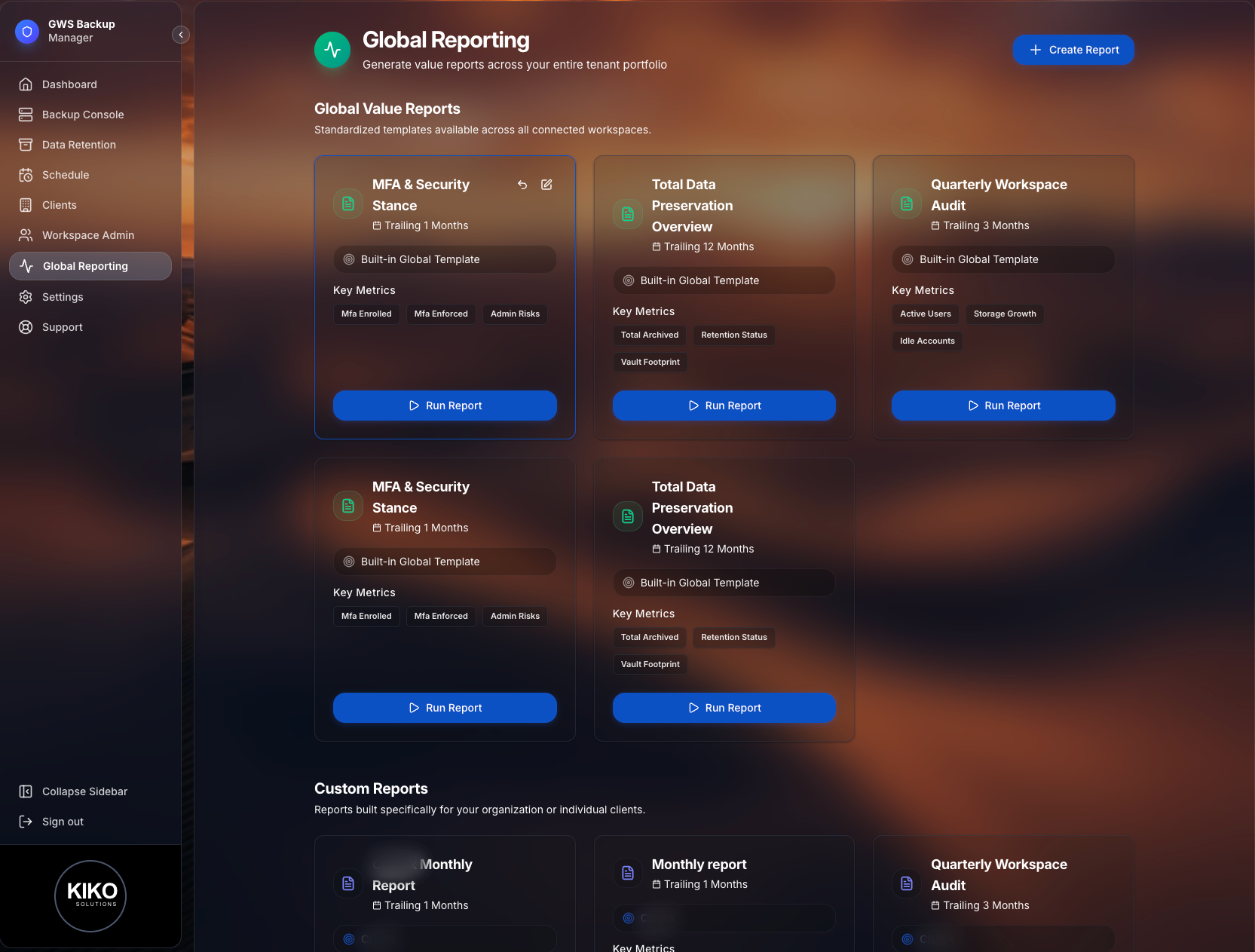
Global Reporting screenshot

Global Reporting

Provide a wide range of statistics to clients. Create custom branded reports using stats, charts, and tables (docx/pdf).

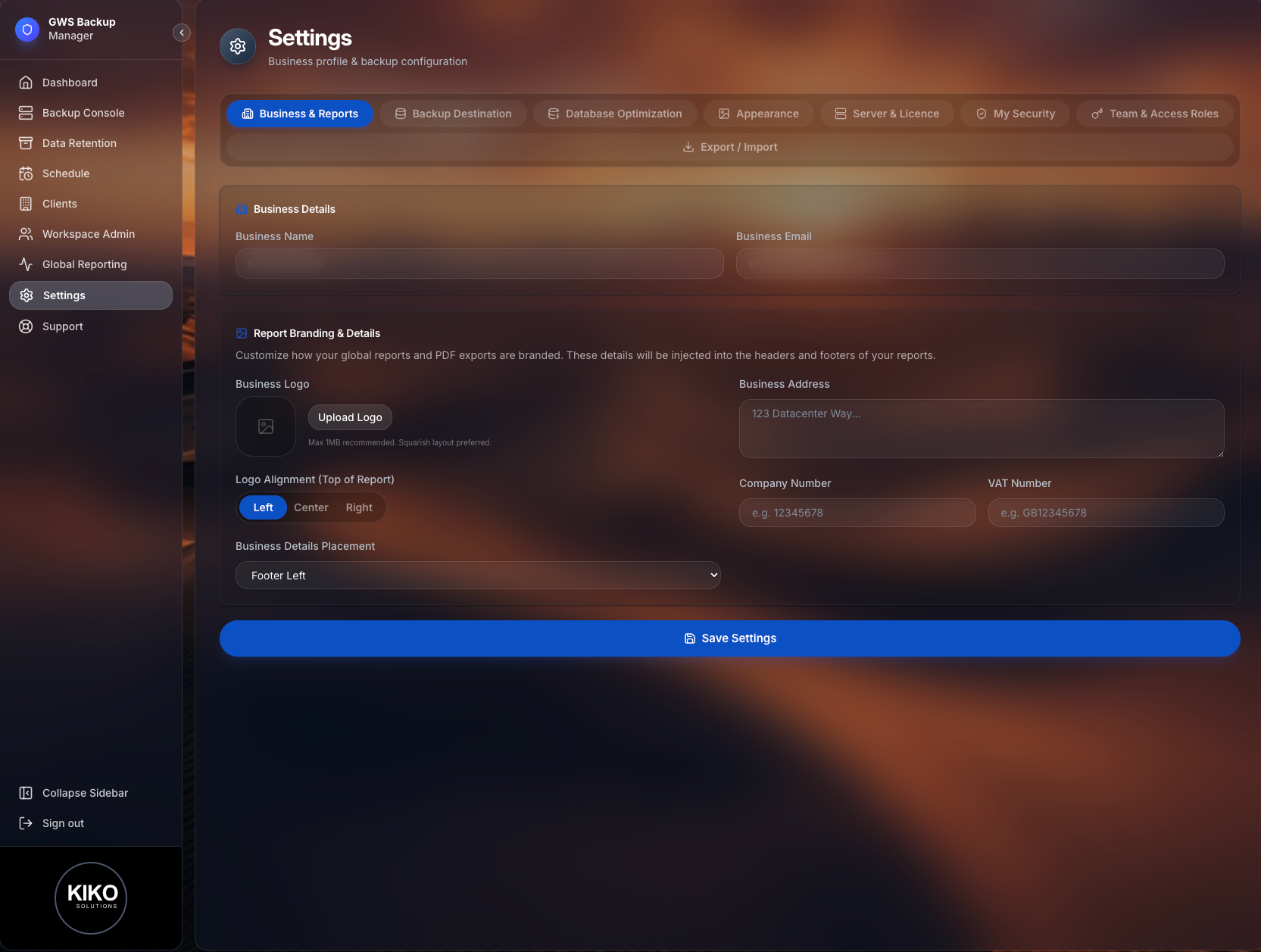
Settings screenshot

Settings

From here set up your business details, backup destination, login security, appearance and team accounts.

Total Footprint Backup screenshot

Total Backup

Seamlessly capture Emails, Calendars, Contacts, Shared Drives, and local PC synced folders.

Flexible Deployment Options

Install GWS Backup wherever it fits best. No lock-in, full control.

Zero-Config Linux & cPanel

A lightweight, standalone .zip package. Drop it into cPanel or any Linux VPS and run. No complex dependency installations required.

Native Windows Installer

A standard .exe installer that handles everything natively, including bypassing sandbox restrictions and automatically setting up background services.

Official Docker Support

The ultimate "easy button" for self-hosting. Use our pre-configured Docker Compose file for instant, perfectly isolated deployment on any OS.

Choose Your Edition

Whether you're protecting a business or your family, we have a solution.

For Personal Use

Family Edition

Secure your personal data and family memories with complete privacy.

  • Control your own storage
  • Automated daily backups
  • No silent failures
  • Easy file restoration
For Organizations

Enterprise Edition

Robust compliance, reporting, and multi-client management for IT teams.

  • Everything in Family Edition
  • Client & Workspace Admin
  • Investigations & Audit Logging
  • Advanced Data Retention
  • White-label Global Reporting
Feature